Why Contact Forms on Local Business Sites Don’t Get Filled Out
You’ve got visitors. Your analytics show people landing on the contact page. But the enquiries aren’t arriving. If you’ve ever sat looking at an empty inbox and wondered why no one fills out my contact form, you’re far from alone, and the answer is rarely one big problem. It’s usually several small ones stacking up.
Here are seven of the most common reasons contact forms on local business websites get ignored, and what to do about each one.
1. The form asks for too much, too soon
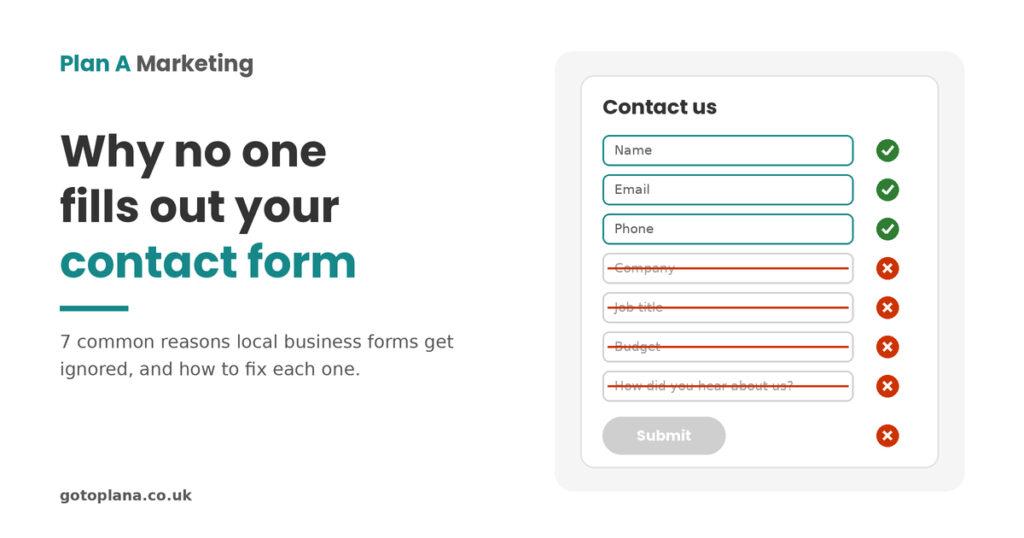
Every extra field is another reason to stop. Company name, job title, budget, “how did you hear about us”, a dropdown of services: it all adds up to something that feels like a job application.
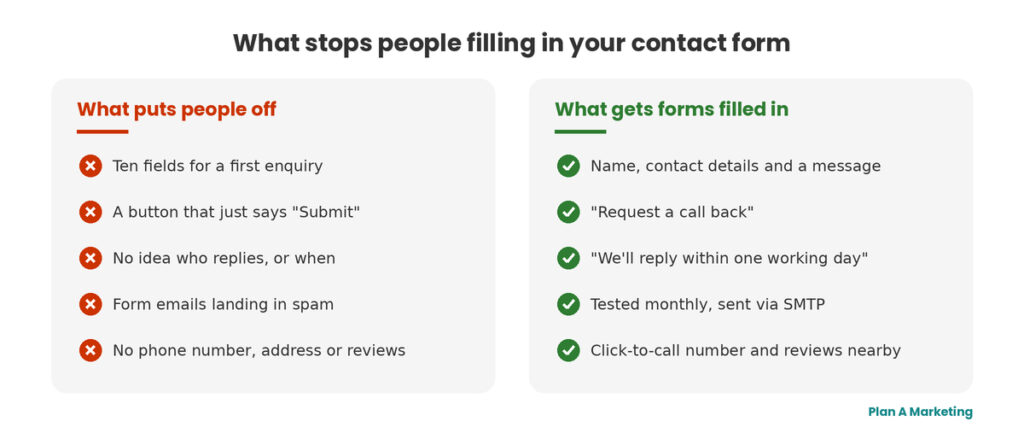
For a first enquiry, most local businesses need three things: a name, a way to reply (email or phone) and a message. Anything else can wait for the first conversation. If you genuinely need more, make the extra fields optional and say so.
2. Nobody knows what happens next
“Contact us” above a blank form gives people nothing to go on. Will someone ring them today? Next week? Will they be chased for months?
Add one line above the form that answers it, for example: “We’ll reply within one working day, with no hard sell.” That single sentence removes a surprising amount of hesitation.
3. The form doesn’t actually work
This is the one that hurts most, because you’d never know. When a business owner asks us “why no one fills out my contact form?”, it’s the first thing we test. Forms break silently after a plugin update or a hosting change. Even more often, the form works but the emails it sends land in spam, or get blocked because the website isn’t set up to send mail properly.
Test it yourself every month, from your phone and from an email address that isn’t your own. On WordPress, an SMTP plugin (which sends form emails through a proper mail account rather than the web server) fixes most delivery problems.
4. It’s a pain to fill in on a phone
Most local searches happen on mobiles. Tiny fields, a keyboard that hides the send button, or a puzzle asking people to pick out traffic lights will lose them in seconds.
Fill in your own form on your phone, one-handed. If it’s annoying for you, it’s worse for a stranger. Use the right field types too, so phones show the number keypad for phone numbers.
5. There’s no reason to trust you with their details
People are wary of spam and of being pestered. If the page has no address, no phone number, no real names or faces and no reviews, the form feels like a black hole.
Put a local address or landline, a photo of who’ll reply and a short review close to the form, plus a one-line privacy note: “We’ll only use your details to reply to your enquiry.” There’s more on this in our guide to building trust and credibility on your website.
6. The form is the only option
Some people simply prefer to talk, especially for urgent or local jobs. Others want to send a quick message out of hours. Forcing everyone through a form loses the ones who’d rather pick up the phone.
Put a click-to-call number next to the form and in the header on mobile. The form should be one way in, not the only one.
7. The button says “Submit”
It’s a small detail with a real effect. “Submit” sounds like handing in paperwork. Button text that says what happens next, such as “Get my quote”, “Request a call back” or “Send my enquiry”, tells people what they’re getting. Follow it with a thank-you message that confirms the enquiry has gone through.
How to check your own contact form in 15 minutes
If you’re still asking why no one fills out my contact form, work through this quick check:
- Fill it in on your phone and send it. Did the email arrive? How long did it take? Check your spam folder.
- Count the fields. Cross out any you don’t need for a first reply.
- Read the text above the form. Does it say who replies, and when?
- Look for your phone number, address and at least one review on the same page.
- Check the button wording and the message people see after sending.
- Check you’re tracking enquiries. In Google Analytics 4, mark form submissions (or visits to a thank-you page) as a key event, so you can see how many enquiries the site generates and where they come from.
If visitors are arriving but enquiries aren’t, the form is only one part of the picture. Our post on website traffic but no leads covers the bigger causes, and 5 common reasons small business websites fail to generate leads looks at the site as a whole.
The contact form is often the last place anyone looks
When enquiries dry up, most businesses look at traffic, ads or SEO first. The form gets left alone because it “works”. Yet asking why no one fills out my contact form often leads to one of the cheapest, quickest fixes on the whole website.
It’s also something Nick checks by hand in every marketing audit, alongside the website, Google Business Profile, PPC and anything else that’s meant to bring in enquiries. A form that silently fails can undo all the work and money that went into getting people to the page.
Frequently Asked Questions
For a first enquiry, most local businesses only need three: a name, a way to reply (email or phone) and a message. Every extra field gives people another reason to give up. If you genuinely need more information, make those fields optional or ask for it on the first call.
The most common cause is that emails sent by the website are going to spam or being blocked, because the site isn't set up to send mail properly. A plugin update or hosting change can also break a form without any warning. On WordPress, an SMTP plugin that sends form emails through a proper mail account fixes most problems, and you should test the form yourself every month.
Use both. Some people prefer to fill in a form out of hours, while others, especially those with urgent jobs, would rather pick up the phone. Put a click-to-call number next to the form and in the header on mobile, so nobody is forced down a route they don't want.
It can. Puzzles that ask people to pick out traffic lights or read distorted text add friction, particularly on a phone. Invisible spam protection, such as a honeypot field or a background check, blocks most spam without asking genuine visitors to do anything.
Set up tracking in Google Analytics 4. The simplest way is to send people to a thank-you page after they submit, then mark visits to that page as a key event. You'll then see how many enquiries the site generates each month and which pages and traffic sources they come from.
Stop guessing why you’re not getting more customers.
If your website, Google Business Profile, PPC or anything else you’re running isn’t bringing in calls, leads or sales, we can tell you exactly why. For a fixed fee of £699, Nick will personally give it a complete, plain-English once-over — hands-on and experienced, never automated — and hand you a prioritised action list of fixes.
From there, you decide how to execute it: do it yourself, let us teach your team, or have us do it for you.